Visual Positioning System
What is a VPS?
Last updated 3 months ago
VPS stands for “Visual Positioning System.” It is a geolocation system that refines your imprecise GPS location using a series of images taken by your smartphone.
It’s important to understand how a VPS works in order to use it correctly.
Let’s take Google’s VPS in Paris as an example. Google operators crisscrossed the streets of Paris in cars equipped with 360° cameras and a variety of other sensors to capture hundreds of thousands of images of the city.
Using these images, they can build a highly accurate 3D model (or point cloud) of the city through a process known as “photogrammetry.”
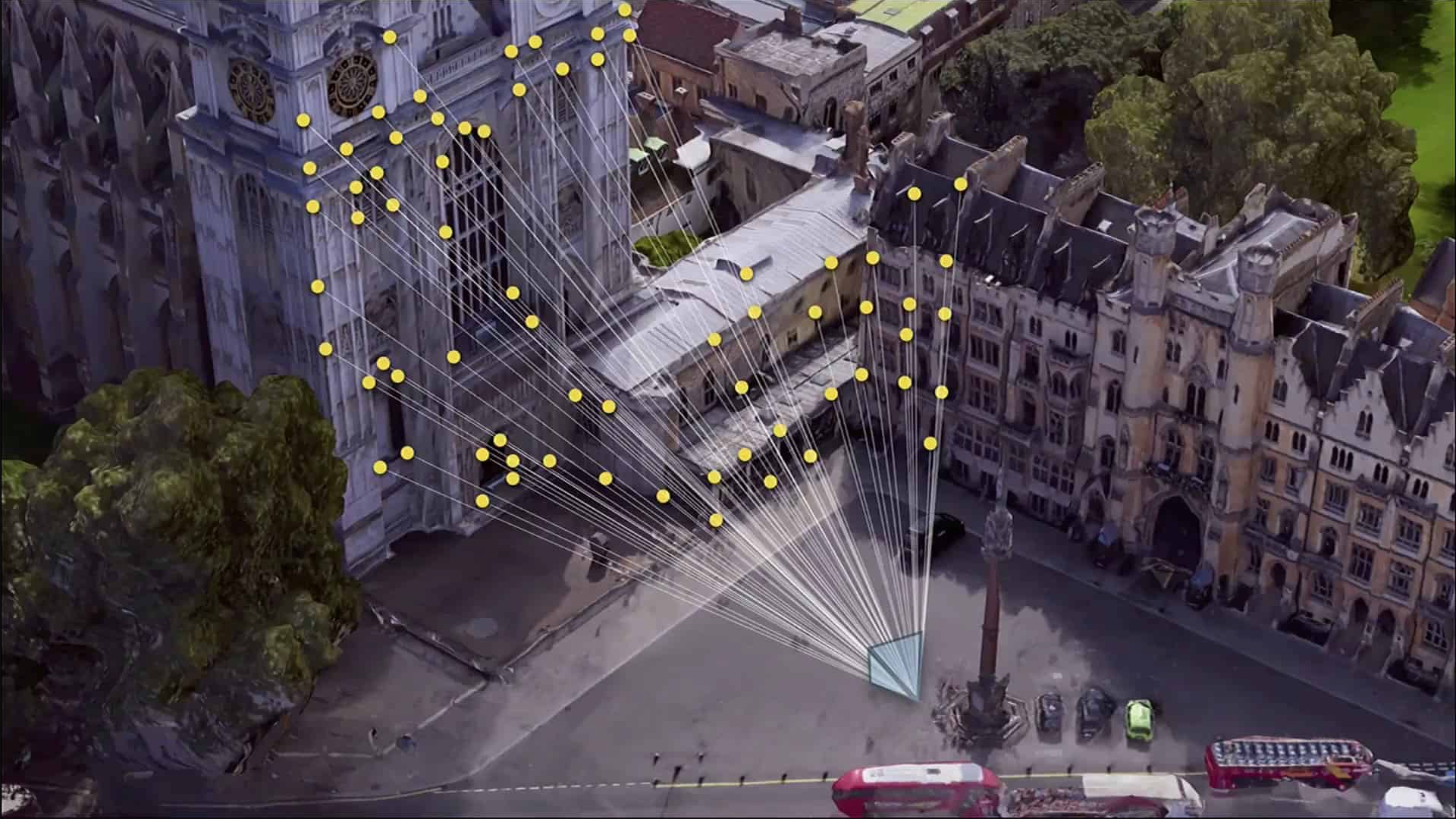
So, anywhere in the city where this 3D model has been created, you can take a photo with a smartphone and use an algorithm to determine the position and orientation of the device that took it—much like the game “GeoGuessr,” but on a street-level scale. The fact that we know your approximate GPS location speeds up the process significantly!
Result: We’re able to pinpoint your location to within a few dozen centimeters and determine your orientation to within a few degrees.
Apple VPS
For Apple VPS to work for you, two conditions must be met:
You must be in a city where Apple has made VPS available. View the list.
You must be using the app on streets visible in Apple’s “Look Around” panoramic imagery.
Example 1:
In Paris, on Boulevard des Invalides, you’re in a city where the service is available, and the entire boulevard is covered by can be seen in the panoramic images. The Apple VPS will work for you!
Example 2:
In Paris, at the Père Lachaise Cemetery, you’re in a covered city, but there are no Apple panoramic images. Therefore, you won’t be able to use the Apple VPS.
Example 3:
In Dijon, at Place de la République, There are some Apple panoramic images, but the city does not appear on the list of cities covered. Therefore, you will not be able to use the Apple VPS.
Google VPS
Google Street View is available wherever there are Google panoramic images—which is virtually all of Europe and North America.
To check if your route passes through streets with Google Street View imagery, simply go to Google Maps and enable the “Street View” layer to view all Google Street View imagery.

Comparison of Apple and Google VPS
We’ve found that the Google VPS needs to reset approximately every 30 meters. We’ve tried to minimize the impact on the user during the trip, but you may hear a recalibration warning fairly regularly.
Both VPS systems struggle at night or in low-visibility conditions, but Google’s in particular. Take precautions late at night or in winter, when the sun sets early. When streetlights provide sufficient illumination on building facades, both VPS systems remain more or less usable, although they will lose their precise position more frequently.
Indoor Navigation
SonarVision now supports indoor positioning thanks to our own VPS system!
To capture the necessary reference images, we must first scan and map your facility.
If you’d like to deploy SonarVision’s indoor navigation system in your building or facility, please contact Please contact us.