Requests
Understanding How to Use It
Last updated 19 days ago
A user of the SonarVision app can submit “requests” (also known as “inquiries”) for locations and routes.
These requests then appear on the SonarVision editing platform, allowing a planner to quickly find the route the user wants to have planned.
Types of Requests
Private Locations
When a user creates a location using their mailing address, this automatically generates a location request on their account.
An algorithm, called a geocoder, instantly converts this mailing address into a GPS coordinate, which the user can immediately use, for example, to generate an automatic route.
However, there is no guarantee that the mailing address the user entered corresponds exactly to the front door they are looking for:
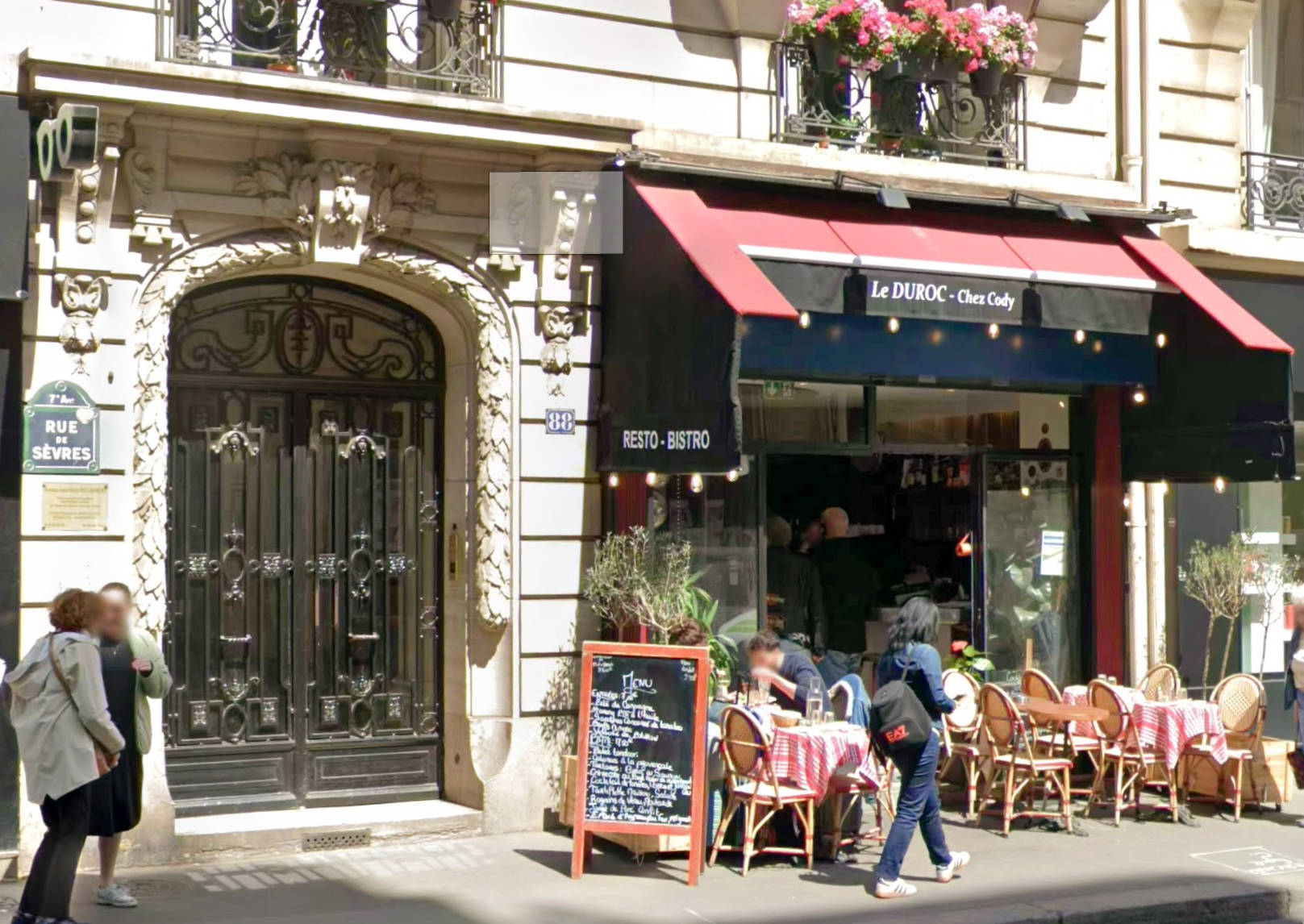
It is therefore the planner’s role to place the location SonarVision in front of the entrance the user is looking for. You can learn more here: Planning a Good Route
Private Rides
When a user creates a route between two locations, this also automatically creates a ride request on their account.
Similarly, if possible, the SonarVision route planner instantly suggests an automatic route between the two locations, which serves as both a starting point for the trip planner and a quick solution for a user in a hurry. The fact that this automatic route is saved to the user’s account also allows them to review the directions before hitting the road.
It is the planner’s role to ensure that the route best meets the user’s needs and preferences: Plan a good route.
Public Locations
“Public locations” are shared among all SonarVision users. For now, they can only be edited by an administrator from the SonarVision team.
You can request verification of a public place via the app or the editing platform, which will notify a member of the SonarVision team directly. Requests are typically processed within 48 hours.
Web - List of Requests
On the web, the request list looks like the image below:

The first column allows you to change the request’s status. Setting the request status to “Completed” will not change the route status to “Ready”—these are two different things! A single request can contain multiple route or location requests! This status simply helps you stay organized and keep track of what you’ve processed and what you haven’t.
Clicking the button in the second column takes you directly to the location or trip to be processed.
The third column takes you to the user’s profile. This will make more sense once it’s possible to process trips for multiple users from the same account.
The fourth column shows the date the request was submitted.
The fifth column shows the approval date and the name of the person who approved it.
The last column provides a summary of the request.
Still need help? Ask the team